
What Is Virtual Try-On? The Complete 2026 Guide
AI virtual try-on dresses any garment on a generated model — no studio, no photoshoot. Learn how it works, how it compares to faceswap and AI models, and what it costs.
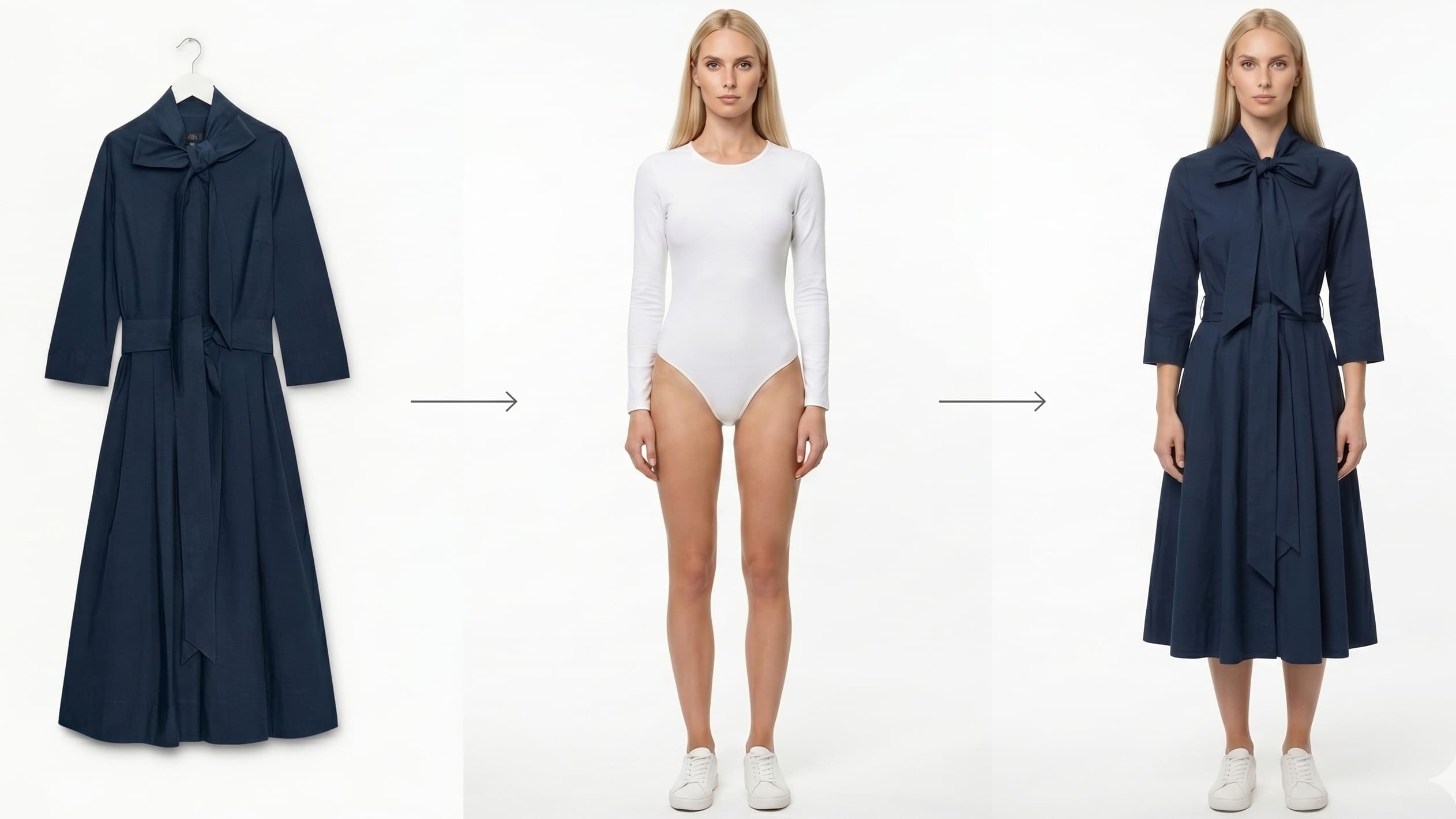
Virtual try-on (also called AI virtual try-on) is a technology that dresses any garment on an AI-generated model — without a studio, a model or a photoshoot. Starting from a single product photo (a flat lay, a garment on a hanger, or an already-worn item), AI produces a studio-quality visual in seconds, ready to publish on a product page or a social feed.
It has quickly become one of the fastest levers for fashion brands and e-commerce sellers who want to produce more visuals, faster, and at a fraction of the cost. This guide explains what virtual try-on is, how it works, its real use cases, and where it fits in a modern production workflow.
Definition: virtual try-on in one sentence
AI virtual try-on uses artificial intelligence to generate an image of a garment worn by a model, with no physical photoshoot involved.
In practice, you give the AI two inputs:
- The garment — a product photo (packshot, flat lay, ghost-mannequin shot…).
- The model — either a model generated by the AI, or an existing model whose face and body you reuse.
The AI combines both into a coherent visual: the garment wraps the body with the right folds, shadows and drape.
How does virtual try-on work? (the 4-step pipeline)
1. Upload the garment
You upload one or more product photos. Most tools accept flat lays, hanger shots or worn photos.
2. Choose the model
You pick an AI model: body type, pose, skin tone, nationality. Advanced platforms offer hundreds of profiles — ClothesLook supports up to 195 nationalities — to match your target audience.
3. Generation
The AI "dresses" the model. This is where model quality matters: a strong engine respects the material (denim, silk, knit), patterns and logos without distorting the garment.
4. Consistency and variations
With an Identity Lock feature, the same model stays identical across a full collection. You can then derive more visuals: pose change, background change, a runway video or a 360° view, background removal, 4K upscaling…
Virtual try-on, faceswap, AI model: what's the difference?
These terms are often confused. Here's how to tell them apart:
| Feature | What it does | Typical use case |
|---|---|---|
| Virtual try-on | Dresses a garment on a model | Create an "on-model" product page with no shoot |
| AI model | Generates a model (face + body) from scratch | Keep a consistent face across the whole catalog |
| Faceswap | Replaces a model's face with another | Adapt a visual to a market / nationality |
| Pose change | Recreates the same look from another angle | Multiply visuals from a single shot |
| Video generation | Turns an image into a runway or 360° clip | Feed TikTok, Reels, animated product pages |
These features are complementary: a full pipeline often chains virtual try-on → pose change → video generation to produce dozens of visuals from a single photo.
Why fashion brands adopt virtual try-on
Cut production costs (up to -90%)
A traditional shoot requires a studio, photographer, model, stylist and retouching — hundreds to thousands of dollars per session. AI virtual try-on slashes that cost to a few cents or dollars per visual.
Ship faster
No need to schedule a shoot. A new product photographed flat can be "worn" and published the same day.
Multiply variations
A single photo can generate multiple poses, models and backgrounds — ideal for A/B testing product pages or localizing by market.
Reduce returns
More realistic "on-model" visuals help shoppers picture the fit, which helps lower return rates — a major cost center in fashion e-commerce.
Real-world use cases
- On-model product pages built from flat-lay photos.
- Seasonal catalogs declined fast, with no re-shoot.
- Social content: runway videos and 360° views for Reels and TikTok.
- Localization: adapting models (nationality, body type) per market.
- Small brands that want a "big-brand" look without a studio budget.
How to get started with ClothesLook
- Upload a photo of your garment.
- Choose an AI model (up to 195 nationalities) and a pose.
- Generate a studio-quality "on-model" visual in seconds.
- Derive videos, 360° views or extra poses, then export to Shopify, WooCommerce or any platform.
Want to see it on your own products? Discover ClothesLook virtual try-on or compare plans. For a deeper dive, read our comparison of AI fashion models vs real models.
Frequently asked questions
Yes. Modern AI models accurately reproduce fabric drape, folds, shadows and texture on a body. With an Identity Lock feature, the same model stays consistent across an entire collection, producing studio-grade results.