
What Is AI Faceswap in Fashion? (And When to Use It) — 2026
AI faceswap replaces a model's face to adapt your fashion visuals. Definition, differences from virtual try-on, real use cases and the ethics you should know.
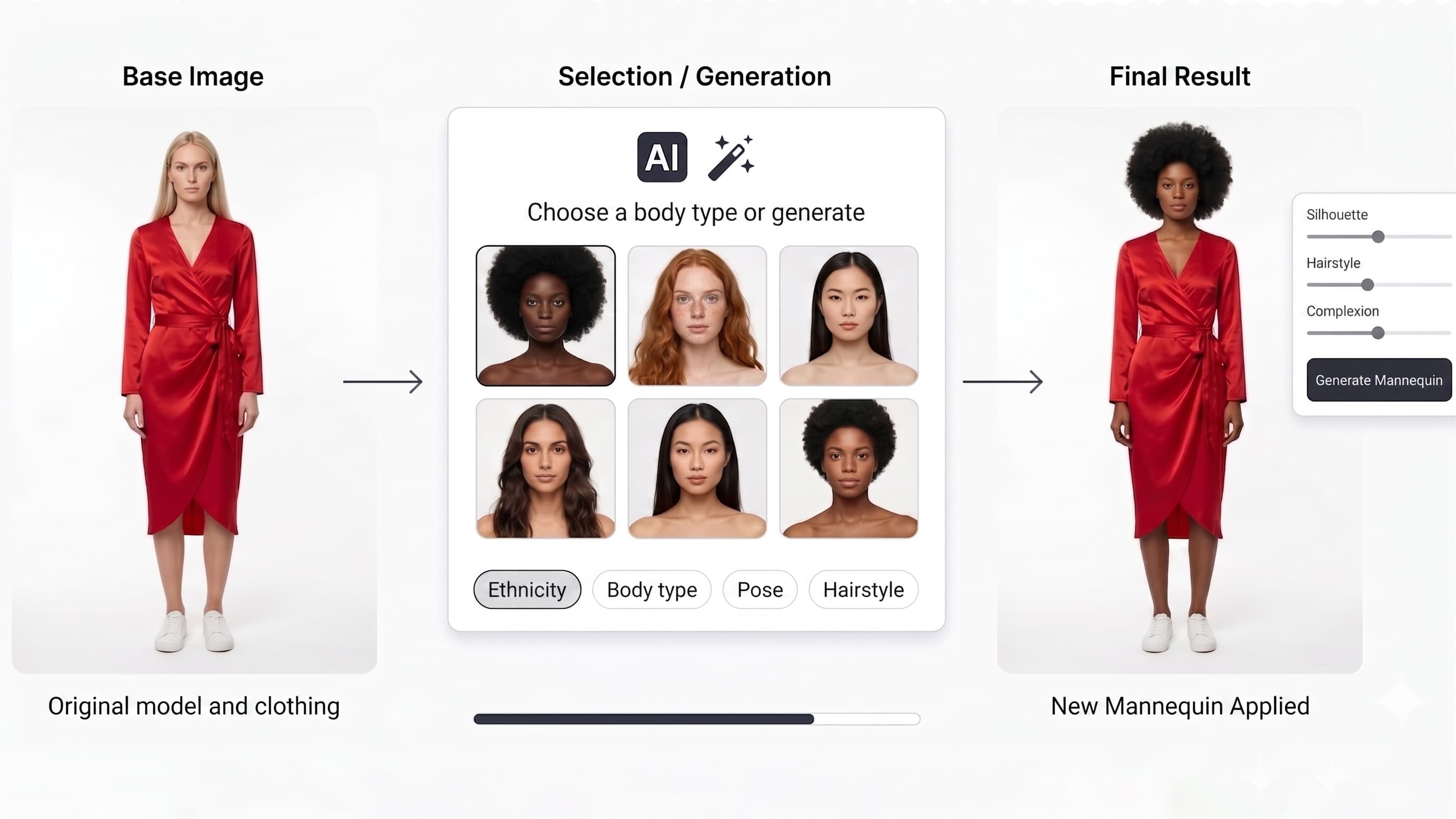
AI faceswap (or AI face replacement) is the act of swapping one model's face for another, automatically, using artificial intelligence. In fashion and e-commerce, it's a powerful tool to adapt the same visual to different markets, build a consistent brand model, or decline a campaign without re-shooting.
This guide explains what faceswap is, how it differs from virtual try-on and AI model generation, its concrete use cases, and the legal best practices to follow.
Definition: AI faceswap in one sentence
AI faceswap replaces a model's face in an image, integrating it realistically with the right lighting, skin tone and expression.
Unlike a simple cut-and-paste, the AI recomposes the face so it perfectly fits the scene: head angle, shadows, skin grain. The result is indistinguishable from a photo actually taken with that model.
Faceswap, virtual try-on, AI model: don't confuse them
These three features are complementary but solve different needs:
| Feature | What it changes | When to use it |
|---|---|---|
| Virtual try-on | The worn garment | Create an "on-model" page with no shoot |
| AI model | The whole model (face + body) | Generate a model from scratch |
| Faceswap | The face only | Adapt an existing visual to a market / campaign |
In practice, a full pipeline chains: virtual try-on (dress the garment) → faceswap (adapt the face to the target audience). That's exactly what an integrated studio like ClothesLook enables.
Why use faceswap in fashion
Localize your visuals per market
A brand selling in Europe, Asia and the Middle East can present the same garment with models whose face matches each audience — without running three shoots. Faceswap makes that localization instant and cheap.
Build a consistent brand model
With Identity Lock, you set a reference face that returns across your entire catalog. Customers recognize "the brand's face" from one product page to the next, reinforcing visual identity.
Decline a campaign with no re-shoot
Have a high-performing visual but want to test it with another model profile? Faceswap produces the variant in seconds — perfect for A/B testing.
Protect model privacy
By replacing a real face with a synthetic one, you publish visuals without exposing a real person's identity — a plus for compliance and contractual simplicity.
How faceswap works (steps)
- Pick the base visual — a model photo (real or generated).
- Select the target face — a synthetic face from the library, or a locked reference face.
- Generate — the AI integrates the new face with correct lighting and skin tone.
- Decline — apply the same face across a series for consistency.
Faceswap and ethics: best practices
Faceswap is a neutral tool, but its use must stay responsible:
- Use synthetic faces or images you own the rights to.
- Don't reproduce the face of a real, identifiable person without explicit consent.
- Be transparent when context requires it (some markets regulate the use of generated visuals).
ClothesLook is built around these principles: generating synthetic faces intended for commercial use, with no real-identity impersonation.
In summary
AI faceswap is the ideal tool to adapt, localize and decline your fashion visuals without multiplying shoots. Combined with virtual try-on and AI model generation, it completes a fashion studio capable of producing dozens of variations from a single photo.
Want to try it? Explore ClothesLook AI faceswap, virtual try-on or compare plans. For the basics, also read What Is Virtual Try-On?.
Frequently asked questions
Yes, when the face used is synthetic (AI-generated) or you hold the rights to the source image. Legal risk only arises if you reproduce the face of a real, identifiable person without consent. ClothesLook favors synthetic faces intended for commercial use.