
Ghost Mannequin Effect With AI: What It Is and How to Create It (2026)
The ghost mannequin shows a garment with its 3D shape, with no person or mannequin. Definition, benefits and how to create the ghost mannequin effect with AI, no studio.
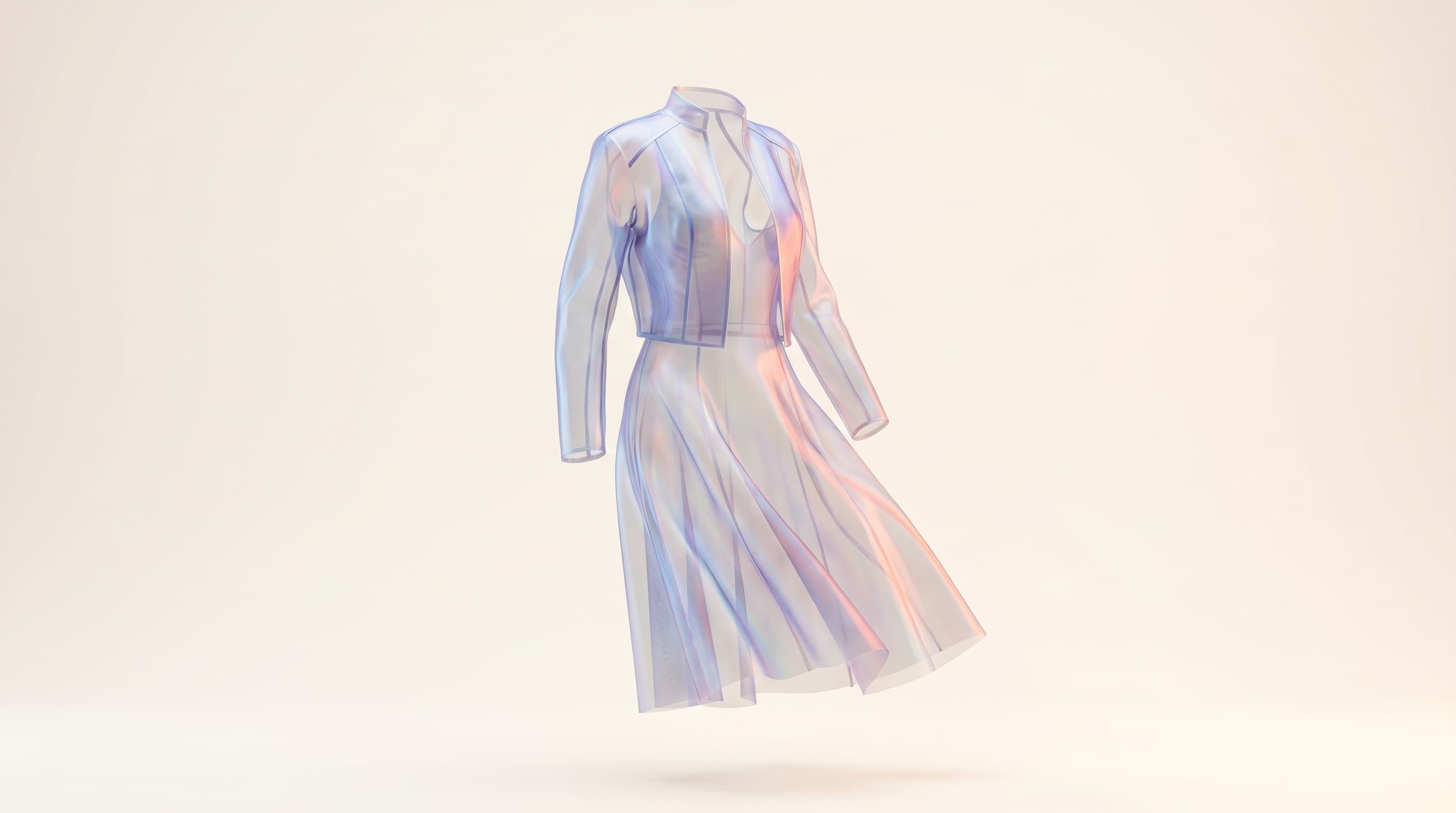
The ghost mannequin effect shows a garment with its 3D volume and shape, as if worn, but with no body or mannequin visible inside. With AI, you get this render directly from a photo, without the double shot or manual compositing of the traditional method.
This guide defines the ghost mannequin effect, explains why it's so common in fashion e-commerce, and details how to generate it with AI in minutes.
What is the ghost mannequin exactly?
A ghost mannequin is a visual where the garment appears filled, structured, with its natural folds and drape — but where the person (or physical mannequin) has been removed. You see the shape of the garment, not the body wearing it.
It has become a fashion product-page standard because it combines two advantages: the clarity of a clean background and the volume of a worn garment.
Why use the ghost mannequin effect?
Compared to other renders, the ghost mannequin holds a precise place:
| Render | Shows volume? | Clean background? | Best for |
|---|---|---|---|
| Flat-lay | No | Yes | Detail, complement |
| Ghost mannequin | Yes | Yes | Main product visual |
| On-model photo | Yes | Varies | Customer projection, lifestyle |
Its concrete benefits:
- it reveals the cut (shoulders, waist, length) better than a flat-lay;
- it keeps a neutral background consistent across the catalog;
- it raises click-through on product listings thanks to a clean presentation;
- it avoids the image-rights questions of a real model.
How to create a ghost mannequin with AI (steps)
The traditional photo method requires shooting the garment on a mannequin, then taking a second inside shot (collar, opening) to reconstruct the volume in editing — a long, technical process. AI replaces it with a few clicks:
- Upload the garment photo. A worn or even flat photo works as a starting point.
- Select the ghost mannequin render. The AI reconstructs the garment's volume in 3D.
- Generate. The body is removed, the garment keeps its shape, folds and shadows on a clean background.
- Adjust the background. White, neutral or a light gradient to match your brand.
- Export in high resolution and publish on your product page.
No studio, no double shot, no manual cutout.
Ghost mannequin or on-model: which to choose?
The two are complementary, not competing:
- the ghost mannequin is perfect as the main visual of a product page: clean, focused on the garment;
- the on-model photo helps the customer picture themselves and works better in lifestyle, social and ads.
The best-performing product page often combines a ghost mannequin as the main visual with one or two on-model photos as complements. To generate the latter, see our guide on going from flat-lay to on-model.
In summary
The ghost mannequin shows a garment's 3D shape with no person, on a clean background — ideal as the main product visual. AI lets you get it directly from a photo, without the double shot or compositing of the classic method.
Want to try it? Explore ClothesLook virtual try-on or compare plans. To go further, also read What Is Virtual Try-On?.
Frequently asked questions
It's a photo technique that shows a garment with its 3D volume and shape, as if worn, but with no visible person or mannequin inside. The result is a clean visual on a neutral background, widely used in fashion e-commerce to highlight the cut.