 ClothesLook
AI bag photography: your bag in editorial scenes, worn or placed
Upload up to 5 views of your bag, pick a scene among over 120 photo backdrops and 24 videos, and get an editorial visual where the bag keeps its real size.
Included in the Seller, Brand and Studio plansSee pricing
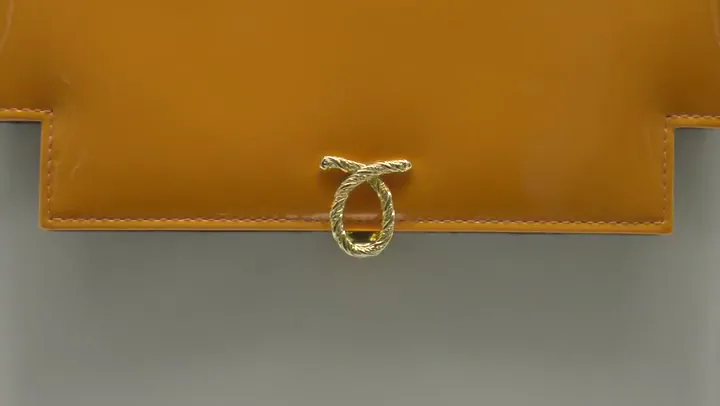
How do you photograph a bag with AI?
You upload one or more views of the bag, set its type so its size is respected, then choose an editorial scene: the AI generates a photo or a video of the bag worn or placed in that setting.
How it works
Upload your bag
Add up to 5 views of the bag and set its type: tote, clutch, hobo…
Choose the scene
Pick a photo or video scene, bag worn or placed, or upload your own backdrop.
Generate
Get your editorial visual, as a photo up to 4K or a video up to 1080p.
Bags sell on emotion: on the shoulder in the city, on a café table, in hand in a hotel lobby. Repeating those setups for every model and every color takes costly photoshoots.
Editorial Bags places your bag, worn or placed, in over 120 photo scenes and 24 video scenes. You upload up to 5 views of the bag — front, back, side, interior, detail — and set its type (tote, clutch, hobo…): it fixes the bag’s real size, so a clutch stays small in the scene.
Leather goods photoshoot vs ClothesLook Editorial Bags
| Criterion | Leather goods photoshoot | ClothesLook Editorial Bags |
|---|---|---|
| Settings | to scout and book | over 120 photo scenes and 24 videos |
| Staging | worn or placed, one take at a time | worn or placed, your choice |
| Bag size | to manage during the shoot | fixed by the bag type |
| Your own settings | on-site scouting | upload your scene |
Worn or placed
Over 120 photo scenes and 24 video scenes: on the shoulder, in hand or placed in the setting.
Up to 5 views
Front, back, side, interior and detail: the AI relies on every view you provide.
The right size
The bag type (tote, clutch, hobo…) fixes its real size: a clutch stays small.
Your own backdrops
Upload your own scene, as a photo or a video of up to 10 s, and place your bag in it.
Who is it for, and when?
- Showcase every color of a bag in an editorial setting.
- Create videos of worn bags for social media.
- Show a bag’s interior and details in context.
- Keep a consistent visual world across all your leather goods.
Who is it built for?
Leather goods brands
Showcase every model and every color in an editorial setting.
E-commerce stores
Complete your product pages with photos of bags being worn.
Independent designers
Give your bags a campaign look, with no photoshoot budget.
Social media teams
Post videos of worn bags at the pace of your collections.
Frequently asked questions
Over 120 photo scenes and 24 video scenes, with the bag worn or placed.
Up to 5 views: front, back, side, interior and detail.
Yes. The bag type you choose (tote, clutch, hobo…) fixes its real size: a clutch stays small.
Editorial Bags is included in the Seller, Brand and Studio plans, for photos and videos.
Videos are generated in 480p, 720p or 1080p.
Yes. With “Add my scene”, you upload your own backdrop, as a photo or a video of up to 10 seconds, then place your bag in it.
Guides & resources
Your next catalogue shoot starts here.
Launch it without a studio, without an agency, without post-production.