ClothesLook
AI Lookbook Generator: How Fashion Brands Create a Collection Lookbook With AI (2026)
What an AI lookbook is, how it differs from catalog photos, the workflow to shoot a full collection with AI, the quality checklist, and the tools to compare.
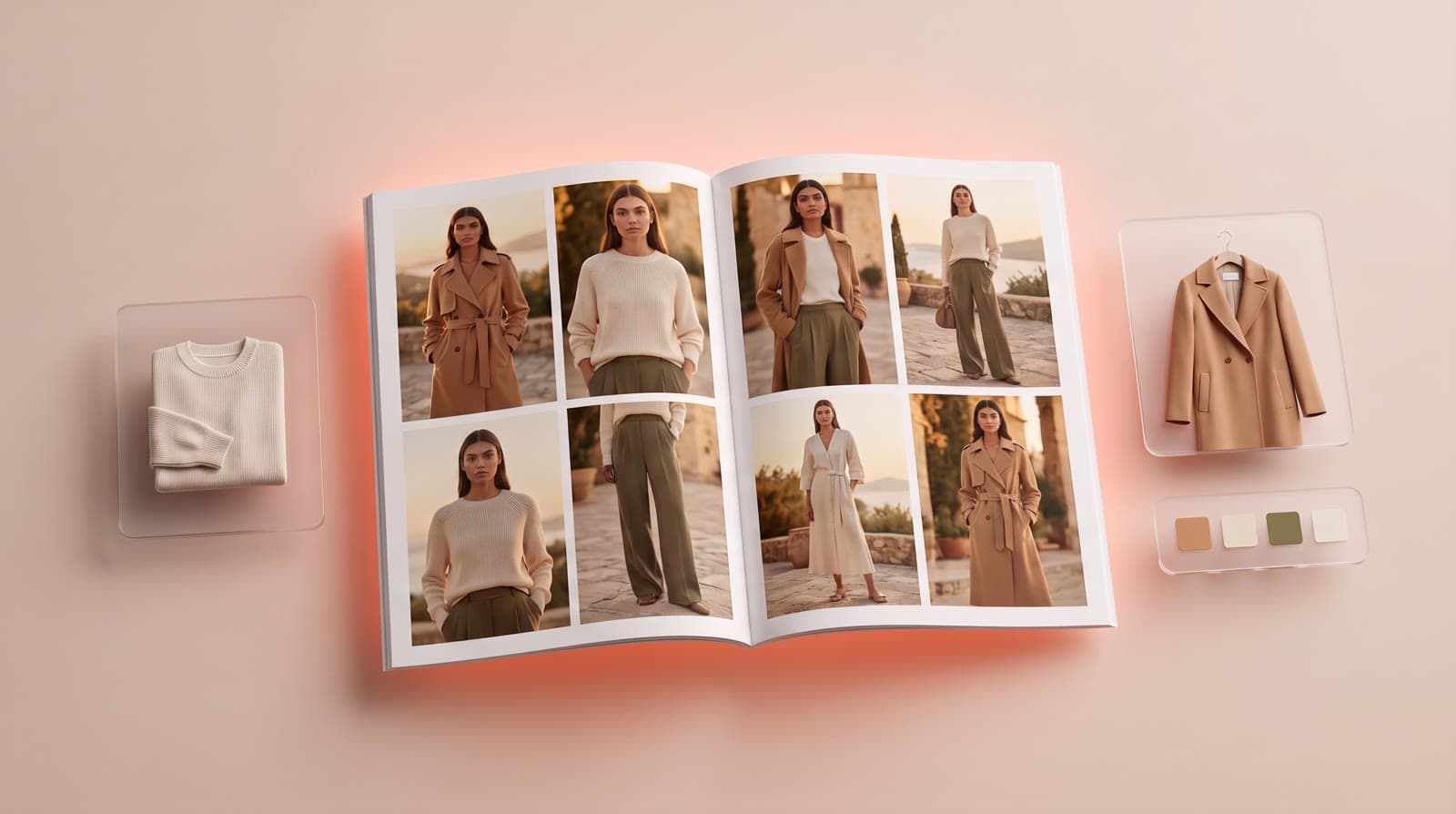
An AI lookbook generator turns the product photos of your collection into editorial on-model visuals — same model, same mood, same light — without booking a studio, a photographer or models. This guide explains what an AI lookbook is, how it differs from catalog photos, the step-by-step workflow for a full collection, and what to check before you publish.
What is an AI lookbook?
A lookbook presents a collection as a story: who wears it, where, and how the pieces are styled together. Brands send it to buyers and press, publish it on their site and social media, and use it to launch each drop.
An AI lookbook keeps that purpose but changes the production. Instead of a shoot, you start from photos you already have — flat lays, hanger shots, mannequin shots or packshots — and an AI studio generates the looks on a realistic model, in the setting you choose.
Lookbook vs catalog photos
| Catalog photos | Lookbook | |
|---|---|---|
| Goal | Sell each product | Tell the story of the collection |
| Background | Neutral, consistent | A setting that fits the collection |
| Framing | Front, back, details | Editorial: movement, styling, atmosphere |
| Where it is used | Product pages, marketplaces | Homepage, campaigns, buyers, press, social media |
| What must stay fixed | Garment accuracy | Garment accuracy and the same model, light and color grade across all looks |
Most brands need both. The good news: with AI, they come from the same product photos.
How to create an AI lookbook for a full collection
- Prepare one clean photo per garment. Flat lay, hanger or mannequin, with even light and the true colorway. Add a back or detail photo when it matters.
- Define the art direction before you generate. The model, the setting (studio, street, beach, interior), the light and the color grade. Write it down once and reuse it for every look.
- Lock your model. Pick or generate the model that fits your brand — age, skin tone, hair, body size, hijab style — and keep the same one across the whole collection with Identity Lock.
- Generate a hero look first. Approve one image you love, then use it as the reference for the rest of the collection.
- Generate the full collection. Place the pieces in ready-made editorial scenes, vary poses and camera angles, and keep the setting and light fixed.
- Edit ruthlessly. Generate more looks than you need and keep only the strongest. Twenty great images beat thirty average ones.
- Add motion. A runway video or a 360° view of key pieces makes the lookbook stand out on social media.
- Reuse everything for the catalog. The same model and garments give you clean product page photos, published to Shopify in batch with Catalog Studio.
The quality checklist before you publish
- Garment fidelity: logos, prints, stitching, textures and fit match the real product.
- Model continuity: same face, body and hair from the first look to the last.
- Color consistency: the colorway does not drift from one image to the next.
- Hands and details: no extra fingers, broken straps or merged accessories.
- Plausible styling: shoes, layering and accessories make sense for the collection.
- A clear point of view: the set looks like your brand, not a generic AI image.
AI lookbook tools to compare
| Tool | Approach | Same model across a collection | Batch + Shopify | Video |
|---|---|---|---|---|
| ClothesLook | Self-serve studio built for clothing brands | ✅ Identity Lock | ✅ Catalog Studio | ✅ Runway + 360° |
| Botika | Garment photo to on-model, with retouch rounds | ⚠️ Not stated | ✅ Shopify app | ✅ |
| FASHN | Web app, mobile apps and API | ✅ Reusable models | ⚠️ Not advertised | ✅ |
| WeShop AI | General AI platform with many engines | ⚠️ Depends on model choice | ✅ Shopify app | ✅ |
| Astria | Templates applied to your product photos | ⚠️ Not stated | ⚠️ Not stated | ⚠️ Not stated |
For details on each, read our Botika review, Fashn AI review and WeShop AI review, or the full ranking of the best AI fashion model generators.
How much does an AI lookbook cost?
On ClothesLook, a virtual try-on costs 5 credits — about $0.40 on the Hobby plan ($12/month for 150 credits). A 20-look lookbook with a few retries costs a few dollars, compared with a day of studio, photographer and models for a traditional shoot. See the full comparison in fashion photoshoot cost vs AI.
Go further
- Create an editorial lookbook with no team or budget
- From flat lay to on-model photos with AI
- AI models vs real models
- AI photoshoot for clothing brands: shot list and garment fidelity
- AI fashion campaign and editorial photos
Ready to build your next lookbook? Try ClothesLook on a mini-collection — 10 free credits, no credit card required. See plans.
Frequently asked questions
An AI lookbook is a series of on-model visuals of a collection, generated from your product photos instead of a photoshoot. You upload the garments, choose a consistent AI model and an art direction, and generate the looks in the same mood, light and setting.
Catalog photos show each product clearly, usually on a neutral background, so customers can buy it. A lookbook tells the story of the collection: mood, setting, styling and sequence. Most brands need both, and an AI studio can produce both from the same product photos.
Most lookbooks have 12 to 30 looks. It is better to keep fewer strong images than to fill pages: generate more than you need, then cut the weakest ones.
On ClothesLook, a virtual try-on costs 5 credits, about $0.40 on the Hobby plan ($12/month for 150 credits). A 20-look lookbook with a few retries stays under the cost of a single studio hour. You can test it with 10 free credits, no credit card.